

Imagine asking Google a complex question and getting an instant, tailored answer, complete with context, sources, and even interactive visuals. That’s Google AI Mode in a nutshell: an AI-powered search experience rolling out worldwide by 2026. Instead of sifting through dozens of links, you can ask anything, by typing, speaking, or even snapping a photo, and Google’s next-generation Gemini AI will dive deep, understand nuance, and deliver concise answers.
It’s like having a brilliant research assistant built into the search engine, saving you time for what really matters. Across markets and languages, this shift means faster, smarter results no matter where you are. In this article, we’ll explore what Google AI Mode is, how it works under the hood, and why it’s a game-changer for search. We’ll break down its key features (from Deep Search to live camera queries), compare it to traditional search, and share tips to help your content stay visible in an AI-driven world. Ready to dive in? Let’s go.
What Is Google AI Mode?
Google AI Mode is a dedicated, AI-driven search interface designed for complex, conversational queries. It isn’t a simple add-on to regular Google Search, it’s a separate mode that users actively choose. As Google explains, AI Mode “is our most powerful AI search, with more advanced reasoning and multimodality, and the ability to go deeper through follow-up questions and helpful links to the web”. Think of AI Mode as Google’s answer to ChatGPT or Perplexity: a place where you can ask nuanced questions, follow up, and get detailed, multi-step answers. In fact, Google’s product team explicitly says AI Mode handles queries “that traditional search, and even AI Overviews, aren’t well-suited for”.
Unlike the familiar search results page or the AI Overview summary at the top of it, AI Mode is a full conversational interface. When you enter AI Mode (via a special tab or voice command), Google uses its powerful LLMs under the hood to break down your question, query multiple sources, and synthesize a coherent response. For example, instead of clicking through ten different pages to compare products, you could ask Google AI Mode directly and it will reason across sources to give you a comprehensive answer. Google began testing AI Mode in 2025 and has since rolled it out (starting in the U.S. and expanding globally) so anyone can try this advanced search experience.
Key Features of Google AI Mode
Google AI Mode brings together many cutting-edge AI search capabilities. Here are the highlights:
Ask anything, any way
Google AI Mode supports text, voice, and even image inputs. As Google’s site notes: “Type, talk, snap a photo, or upload an image. AI Mode uses advanced multimodal capabilities to deeply understand your question, no matter how you ask”. In practice, this means you could take a picture of a flower and ask what it is, or dictate a complex question instead of typing it.
Gemini-powered reasoning
Google AI Mode is powered by Google’s latest LLMs (from DeepMind’s Gemini family). The newest model, Gemini 3, brings “incredible reasoning power” and a deep understanding of nuance to your hardest questions. Google says Gemini 3 “grasp[s] unprecedented depth and nuance” and even generates dynamic response layouts (we’ll explain that below). Thanks to Gemini’s advanced AI, AI Mode can interpret complex requests, weigh information quality, and produce a thoughtful answer rather than a simple summary.
Follow-up questions and a conversation
One of AI Mode’s defining features is the ability to carry on a dialogue. You can ask a question and then refine it with follow-ups (“Actually, show only the eco-friendly options,” for example) without losing context. The interface keeps track of your conversation history and lets you “keep asking, keep discovering”. This conversational format lets you dig deeper or change direction seamlessly.
Deep Search for expert answers
For very in-depth queries, AI Mode offers Deep Search (in Labs for Google AI subscribers). Deep Search issues hundreds of background queries and reasons across all of them, then compiles an expert-level, fully cited report in minutes. Imagine researching a technical topic: instead of sifting academic papers yourself, Deep Search will scan relevant sites, pull out key facts, and stitch together a comprehensive answer with all its sources. Google describes it as their “most advanced research tool,” capable of saving users hours of work.
Citations and transparency
Unlike some black-box chatbots, AI Mode still connects to real web content. Every answer includes links you can click to verify information. As Google’s site emphasizes, “AI Mode connects you to high quality information from the best of the web… You’ll find helpful links to evaluate sources and explore further”. In other words, the answer you get always comes with citations so you can explore the underlying references.
Personalized results (opt-in)
Google AI Mode can optionally use your personal data to tailor responses. Google calls this “Personal Intelligence.” If you link apps like Gmail or Calendar, AI Mode can factor in your schedule, past bookings, or preferences when answering. For example, if you ask “What should I do in Paris next weekend, keeping in mind my flight and that I love jazz,” AI Mode can use your flight info and music tastes to suggest a relevant itinerary. This personalization is under your control (you choose what to connect), but it means recommendations can be more relevant to you.
Interactive visuals and tools
Google highlights that Gemini 3 can create dynamic visuals on the fly. The model can generate infographics, charts, or even interactive simulations tailored to your question. For instance, if you ask about mortgage options, AI Mode might build a custom loan calculator right in your results. Learning about planetary orbits might trigger an interactive physics simulation. These generative UI features (tables, graphs, games) make complex info easier to explore.
Live camera search (Search Live)
Google AI Mode extends Google Lens’s visual search. With Search Live (Project Astra), you can point your phone camera at something and have a live Q&A about it. For example, if you’re staring at a math problem on the board, tap the camera icon and ask the question; AI Mode will see the problem, explain it step-by-step, and suggest resources. It’s essentially a real-time, back-and-forth visual conversation, turning Search into a multi-sensory learning assistant.
Agentic tasks and shopping
Google AI Mode can do some of the work for you. Using technology from DeepMind’s Project Mariner, it can handle tasks like ticket booking or restaurant reservations. Ask AI Mode to “find me two affordable tickets to Saturday’s soccer game,” and it will fan out search queries across ticket sites, compare real-time prices and availability, fill in forms, and present the best options. For shopping, Google is integrating AI Mode with its commerce data. Soon you’ll be able to virtually try on clothes from images and even check out directly with Google Pay through a new “Universal Commerce Protocol”. In short, AI Mode starts as a search assistant but can evolve into an “agent” that completes actions for you.
How Google AI Mode Differs from Traditional Search
Below is a quick comparison table summarizing how Google AI Mode differs from traditional Search and Google’s AI Overviews:
| Feature | Traditional Google Search | Google AI Overviews | Google AI Mode |
|---|---|---|---|
| Access | Standard SERPs (all queries) | Automatic on qualifying queries | Separate mode/tab users opt into (new UI) |
| Query Type | Short keywords or questions | Informational, research-focused queries | Complex, multi-step, conversational queries |
| Input | Text (typing) | Text | Text, voice, image, photo |
| Response | List of link results | Concise AI-generated summary with source links | Detailed, conversational AI answer with citations |
| Depth of Answer | Varies by links opened | Summary-level (like featured snippet) | Extended, in-depth (can cover multiple aspects) |
| Follow-up Questions | No (each query separate) | No | Yes (carried context in conversation) |
| Citations/Sources | Standard search rankings | Sources often listed but AI text may not list all | Source links included throughout answer |
| User Intent | Quick facts, navigation | Quick answers/research | Deep research, decision-making |
| Launch Year | 1997 (Google Search) | 2024 (broad US launch of AI Overviews) | 2025 rollout (US), expanding globally (by 2026) |
How Google AI Mode Works (Behind the Scenes)
AI Mode uses retrieval-augmented generation (RAG): LLMs generate queries, Google’s search index retrieves information, and AI composes a single coherent answer with citations. By leveraging real-time data from Google Shopping, Finance, and other APIs, users get up-to-date, accurate AI search results.
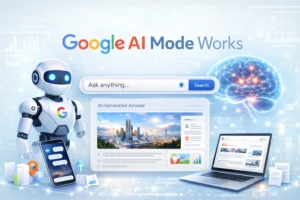
Query fan-out enables the AI to break questions into multiple subtopics and retrieve comprehensive information simultaneously. This is ideal for multi-step AI queries, ensuring depth and coverage in answers.
Optimizing for AI Search: AEO and GEO
With AI-driven search, content creators should focus on Answer Engine Optimization (AEO) and Generative Engine Optimization (GEO). Strategies include:
- Clear, direct answers to questions
- Structured content with headings, lists, and tables
- In-depth, authoritative content (E-E-A-T signals)
- Schema markup and FAQ sections
Optimizing for AI search visibility ensures your content can be cited in AI-generated answers and reach audiences in the evolving AI-powered search ecosystem.
At Elevatech Digital, we encourage businesses to embrace AI-driven content strategies. By creating thorough, structured, and well-referenced content, you position yourself for visibility in Google AI Mode results, keeping your brand at the forefront of next-generation search.
Conclusion
Google AI Mode represents a major shift in how information is retrieved in 2026. Powered by Gemini’s advanced AI and new techniques like query fan-out, it turns Google Search into an intelligent assistant that chats with you, digs deep into your questions, and even performs tasks on your behalf. For global users, it promises faster, richer answers with sources you can trust. For digital professionals, it means adapting your content strategy: focus on clear, authoritative content that AI can easily cite. The future of search is hybrid: a blend of AI and traditional results.
As you explore Google AI Mode, keep experimenting with its features and refine your SEO approach for this new era. Contact team Elevatech Digital for watching these trends closely make sure to stay tuned and visit our blog for more insights on AI search and optimization. Ready to see AI Mode in action? Try asking a complex question in Google today and witness the shift from search to AI-powered answers in real-time.
Frequently Asked Questions
-
How is Google AI Mode different from Google AI Overviews?
AI Overviews are the summary boxes that appear at the top of normal search results for certain queries, offering a quick answer pulled from multiple sources. They are automatically triggered by Google when it thinks a summary is helpful. In contrast, AI Mode is a separate search interface. You enter AI Mode intentionally (via a tab or voice command) when you want a deeper AI-driven answer. Overviews are brief by design, whereas AI Mode delivers longer, conversational responses and supports follow-ups.
-
Is Google AI Mode available everywhere?
Google launched AI Mode in the U.S. first (2025) and has been expanding access globally. By 2026, it’s available in most regions through the Google app and desktop search. If you don’t see an “AI Mode” tab yet, it will likely appear soon. A Google account may be required for full features (especially Deep Search), but basic AI Mode answers can be reached as search results on major browsers and mobile devices.
-
Do I still get traditional search results?
Yes. Using AI Mode is optional. You can switch between the standard “All” tab (with blue links) and the “AI Mode” tab in Google Search. Think of AI Mode as an alternative view of search results. On desktop or mobile, you’ll see the regular results listed alongside or below the AI answer. If you prefer the old style, just stay on the normal tab. But remember, anything you do in AI Mode—asking follow-ups, etc.—won’t carry over to the classic results page.
-
How do I optimize my content for Google AI Mode?
Treat AI Mode like a smart reader. Write content that’s clear, thorough, and well-structured. Use straightforward question-and-answer sections, bullet lists, and tables when relevant. Focus on solving reader problems and include authoritative data or references. In other words, follow SEO best practices (E-E-A-T, schema markup, etc.) and make your content easily “machine-readable.” As mentioned above, Answer Engine Optimization means anticipating what an AI might extract: define key terms, answer common questions early in paragraphs, and use headings. Also, get your content cited by other reputable sites (earned media), since AI Mode favors established sources.
-
Will Google AI Mode replace traditional Google Search?
Not entirely. Google still supports regular search queries with the familiar interface. Think of AI Mode as complementary: it’s ideal for complex, in-depth questions and tasks, while traditional search and AI Overviews still serve quick lookups and facts. Over time, many AI Mode features may migrate to core search, but for now Google is keeping both experiences. Users can pick whichever works best. For content creators, it means we have to optimize for all discovery paths: classic SEO for normal results and AI SEO (GEO) for AI answers.